
Month: March 2020

The winners of our #ShotOniPhone Night mode photo challenge. Congratulations, photographers!
Apple reveals the best Night mode photos shot on iPhone

Mitsun Soni (Mumbai, Maharashtra, India), iPhone 11 Pro Tyler Mitchell says: “This one blows my mind. I have no idea where that deep rich red light is coming from on the tree. It almost feels like a UFO sitting above the tree, just out of frame. Absolutely beautiful composition as well.”Arem Duplessis says: “The rich red color of the tree and ground gives this picture an otherworldly quality. Paired with the night sky, it feels like a still from a sci-fi film.”
Adding Google AdSense Code to WordPress (Without a Plugin)
To add the Google AdSense ads in your WordPress site, you should first know where you want your ad to be displayed. You can display it in the sidebars, within your content or anywhere you want. The most common place to display your ad is the sidebar of your website.
You can display your ads in the sidebars by going to Appearance » Widget in your WordPress admin dashboard. Now drag and drop the Custom HTML widget to the appropriate widget area and paste your Google AdSense code in there.
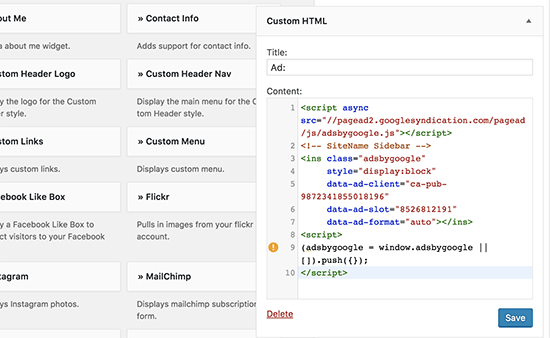
Once done, click on the Save button and you’re done.
If you want more control over the way you display and manage your ads, you can try using an ad management plugin on your website. The best amongst these plugins is the AdSanity plugin.
Links
https://www.isitwp.com/how-to-add-google-adsense-ads-wordpress/
TOP 8 VIDEO-SHARING SITES: GET PAID TO POST YOUR VIDEOS ONLINE.
Top 8 video-sharing sites: get paid to post your clips online

Top 8 video-sharing sites: get paid to post your clips online



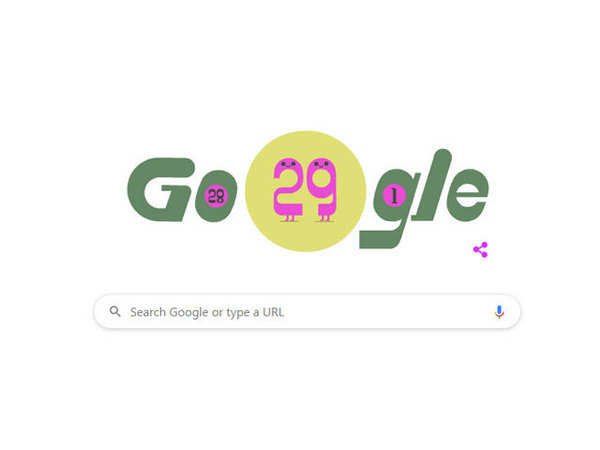
#February29
5 Ways to Find Trending Hashtags !
1. Use Tools
Finally, we come upon the lengthiest section and the best method. This is where you decide all of the above methods are terrible an inefficient. You’ve had enough; you want some professional-level tools to do your hashtag monitoring and recommendation for you. Well, you’re in luck; you have several options.
Option one: Trendsmap
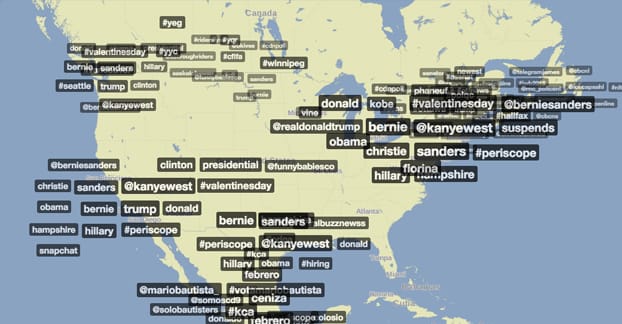
This tool is a map overlaid with geographically trending tags and users. As you might expect, on the national level you have a lot of common Superbowl tweet tags given the recency of the game. You also have a lot of political tags and accounts, since it’s election year. Yes, I’m dating this post.
The real power of Trendsmap is seeing more local trends, so you can tailor your tags to your region. This is only valuable if you can take advantage of a regional audience, but that’s not generally a problem. It also lets you see some interesting trends and their evolution as they move around the country or across the globe.
Option two: Sprout Social
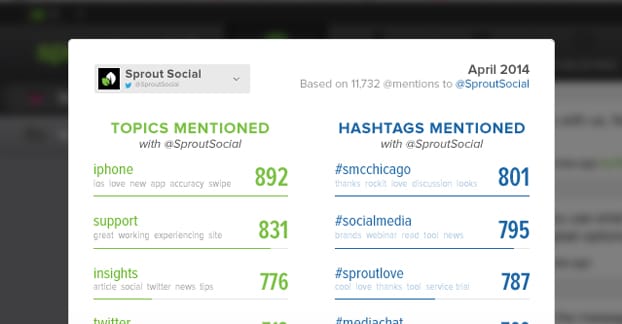
Sprout Social is a broad-featured all-around social media manager and analytics suite, but the portion we’re really interested in right now is the Trends Report. Remember that technique above, where you monitor your brand and look for the tags people are using? It’s tedious and takes a long time to do, right? Well, that’s what the Trends Report does for you. It scans your brand and your mentions, and looks for tags that have been used frequently in conjunction with your brand. On top of giving you a readout of those tags, it gives you common phrases that weren’t tagged, and their frequency. You can even check to see who is mentioning you, and chart the rise and fall of tags over time.
Option three: RiteTag
RiteTag has an amazing browser extension that plays off of their deep trending tags analysis. They analyze different tags for their frequency and their metrics – retweets, reach, image usage, links, and so forth. It also has some semantic analysis, to figure out what topics are commonly used with the tags. The browser extension kicks in when you go to compose a tweet; it actually monitors the topic of your tweet based on keywords and suggests possible tags that will work well with it.
Option four: Hashtagify.me
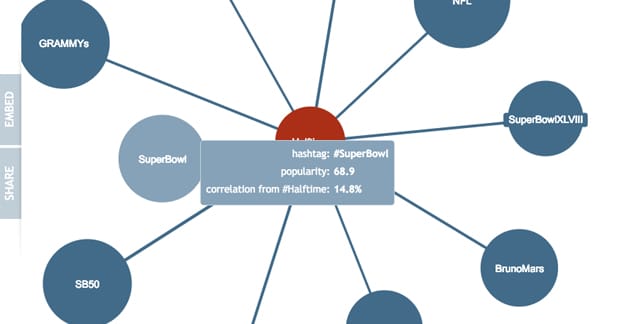
This is a relationship engine that draws a web of relationships between primary hashtags/topics and sub-topics or related tags. For example, the general tag #Superbowl spreads into various sub-topics, like NFL, Panthers, Broncos, Halftime, Football, and others. You can use this tool to explore topics and look for related tags to find some you might be missing. Each one shows you current tweets, the popularity of the tag, and the relationship correlation with the primary topic. It’s a great little discovery engine.
With these tools at your fingertips, you can go deep into exploring the tags used globally, locally, or centered around your brand. This gives you a great insight into tags you can use, to reach a wider audience and amplify your messages.
 Welcome to My Gallery - Soorya.