
To add the Google AdSense ads in your WordPress site, you should first know where you want your ad to be displayed. You can display it in the sidebars, within your content or anywhere you want. The most common place to display your ad is the sidebar of your website.
You can display your ads in the sidebars by going to Appearance » Widget in your WordPress admin dashboard. Now drag and drop the Custom HTML widget to the appropriate widget area and paste your Google AdSense code in there.
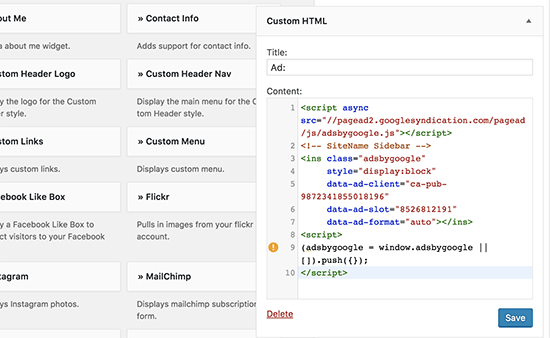
Once done, click on the Save button and you’re done.
If you want more control over the way you display and manage your ads, you can try using an ad management plugin on your website. The best amongst these plugins is the AdSanity plugin.
Links
https://www.isitwp.com/how-to-add-google-adsense-ads-wordpress/
 Welcome to My Gallery - Soorya.